
Account Creation and Setup
Before you can purchase or manage Proxidize products, you need to create a Proxidize account.
Your account gives you access to the Proxidize app, where you can manage your products, subscriptions, orders, payment methods, and account settings.
Create a Proxidize account
You can create an account from the Proxidize website or directly from the Proxidize app.
Option 1: Sign up from the Proxidize website
- Go to the Proxidize website.
- Click Sign up for free.
- You will be redirected to the sign-up page.
- Follow the on-screen instructions to create your account.
Option 2: Sign up from the Proxidize app
- Go to https://app.proxidize.com.
- Click Sign up.
- Enter your email address or choose one of the available sign-in options.
- Follow the on-screen instructions to complete account creation.
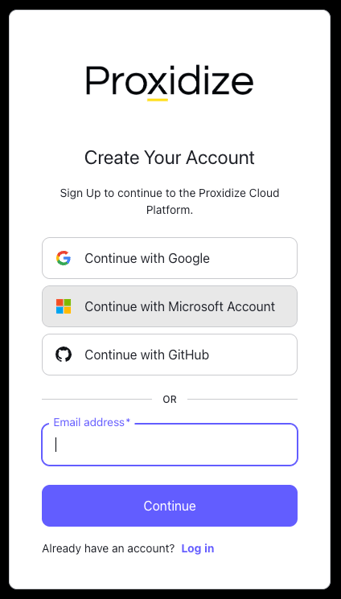
Sign in to your account
After creating your account, go to:
You can sign in using the available login options shown on the sign-in page.
Depending on your account setup, you may be able to continue using:
- Microsoft
- GitHub
Complete the initial setup
After signing up, you may be asked to confirm account details or accept required agreements before accessing the app.
Follow the on-screen steps until your account setup is complete.
Once complete, you will be redirected to the Proxidize app.
What can I do after creating an account?
After your account is created, you can:
- Subscribe to a Proxidize plan
- View and manage your subscriptions
- Access your purchased proxies or services
- View orders and download invoices
- Add or update payment methods
- Manage account settings
Related Articles:
Need Help?
If you have any questions, concerns, or need further clarification, feel free to reach out to us via live chat or email us directly at support@proxidize.com.